PREQUEL AI Filter Photo Editor
Prequel Inc.Photography
4.56.65K Reviews
- Version
- 2.3.0
- Installs
- 50.00M
- Age Rating
- Everyone
Screenshots
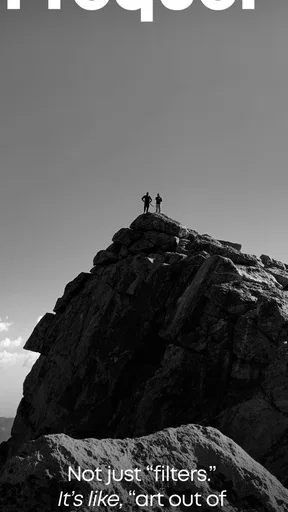
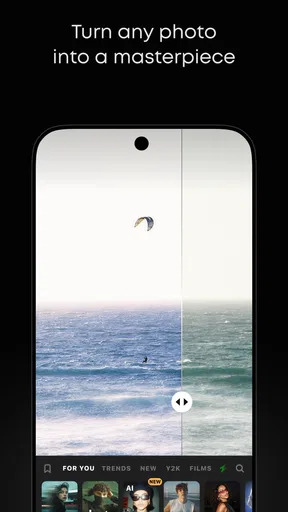
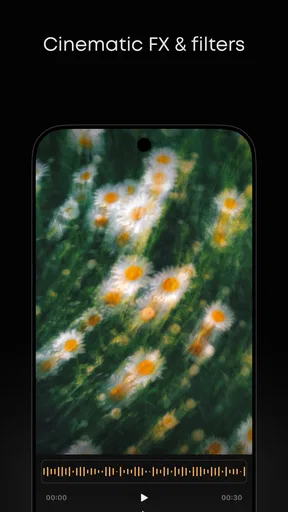
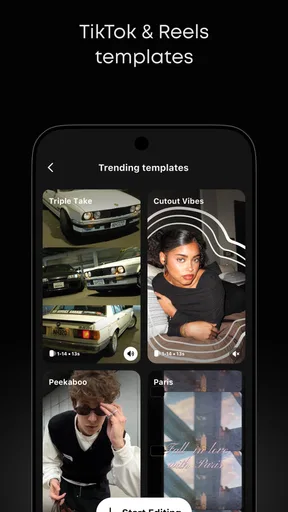
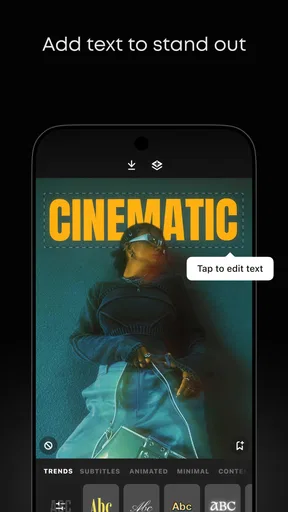
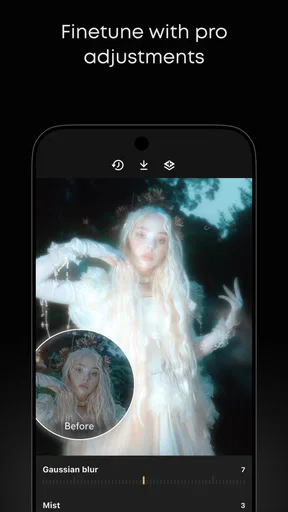
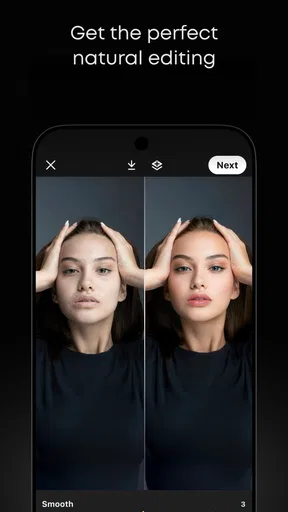
Our Review of PREQUEL AI Filter Photo Editor
 Analysis by Appyee
I tend to judge a photo editor by what happens after the first burst of curiosity. A dramatic effect can make a fun post, but the app earns a lasting place on my phone only if I can return to it for ordinary photos without turning every edit into a project. That is the question I kept in mind while trying PREQUEL AI Filter Photo Editor: does its playful style have enough everyday use behind it?
First Impressions and Lasting Use
When I first opened PREQUEL, I was greeted by a sleek and intuitive interface. It’s like the app just gets you, you know? Everything is laid out in a way that makes it super easy to navigate. I didn’t have to hunt around for features, which is a big win in my book.
The app offers a wide range of filters and effects, and honestly, it’s like stepping into a candy store for photo editing enthusiasts. The options are endless, and each filter has its own unique vibe. Whether you’re going for a vintage look or something more futuristic, PREQUEL has got you covered.
That sense of immediate choice is a real first-week strength. If I have a portrait, a street photo, or a quick clip in mind, I can explore a visual direction before I have to learn a complicated editing workflow. The trade-off is that a long menu of expressive looks can make it easy to browse longer than I intended. I get the most out of it when I start with a purpose—say, making a warm, slightly nostalgic image—rather than tapping through effects at random.
A Closer Look at the Features
Let’s talk features. One of the standout aspects of PREQUEL is its AI-powered effects. These aren’t your run-of-the-mill filters. The AI literally transforms your photos, adding depth and flair that’s hard to match.
One of my favorite features is the ability to layer effects. You can stack different filters and adjustments to create a personalized masterpiece. This gives you the freedom to experiment and really let your creativity shine.
Layering is also where I’d advise a light touch. Two effects that look appealing on their own can compete when combined, leaving the subject harder to read. I usually choose one effect as the main character, then add another only if it solves a specific problem or contributes a clearly different quality. Comparing the result with the original before saving helps me catch edits that have become more decorative than useful.
Another cool feature is the app’s video editing capabilities. Yep, you heard that right. You can apply these awesome filters to your videos too. It’s perfect for creating eye-catching content for social media or just for fun.
That photo-and-video mix makes the app handy when I want a matching look across a still image and a short clip from the same outing. It can help a casual social post feel more considered without requiring a separate editor for each format. I wouldn’t treat that as a replacement for a dedicated video workflow, though: when timing, detailed cuts, or precise control matter more than the visual treatment, a purpose-built video editor is the better fit.
Performance and Usability
Now, let’s chat about performance. PREQUEL runs smoothly on my device, and I didn’t experience any lag, which is crucial when you’re deep into editing mode. The app processes effects quickly, so you’re not left waiting, tapping your fingers impatiently.
The usability is top-notch. Whether you’re a beginner or a seasoned photo editor, the app caters to all. The tutorials and tips provided within the app are super helpful, especially if you’re new to the editing game.
For a practical routine, I’d use it like this: pick one photo from the day, decide whether it needs a mood or just a small visual lift, and stop once the effect supports that intention. For example, a friend takes a candid group shot at a café, and I want it to feel warm enough for a shared post without making everyone look like they belong in a different scene. Trying a few treatments, then backing away from the strongest one, is often more effective than piling on every tempting option.
This approach also answers a common question: is it only for people who already know how to edit? I don’t think so. Its approachable layout makes experimentation less intimidating, while a little restraint gives beginners a useful way to learn how different looks affect the same image. More experienced editors may enjoy the fast stylistic options, but anyone seeking fine-grained control over every tonal adjustment may prefer a traditional editor built around manual corrections.
What Sets PREQUEL Apart?
So, why choose PREQUEL over other editing apps? For starters, the quality of the filters is unparalleled. Each one is meticulously designed, and you can tell there’s a lot of thought behind them.
Moreover, the community aspect is a nice touch. You can share your creations and get inspired by what others are doing. It’s like being part of a creative club, where everyone is just as passionate about photo editing as you are.
Compared with the usual photo-editor alternatives, I see this as a style-first choice. A basic editor is often quicker for a simple crop or a small correction, while a more technical editor makes sense when precision and consistency are the main goals. PREQUEL’s appeal is that it encourages visual experimentation and brings effects to both photos and video. If you want an understated, natural finish on every image, that emphasis may feel like too much; if you enjoy trying distinct moods, it is a more natural match.
Another thing I love is how frequently the app updates. There’s always something new to try, keeping things fresh and exciting. The developers seem genuinely invested in making the app the best it can be.
For month-to-month value, variety matters more than novelty alone. A new look is useful only if it works with the kind of pictures I actually take, so I’d save time by returning to a handful of favorites instead of treating every session as a hunt for the newest effect. That small habit makes the editor feel less like a one-time toy and more like a convenient creative option.
There is a maintenance cost, even if it is mostly attention rather than effort: a large selection invites repeated browsing, and changing visual styles can make a set of photos feel inconsistent. If I’m editing pictures from one event, I try to settle on a look early and reuse it rather than giving every image a different personality. For a polished album or a business feed where uniformity matters, a workflow with dependable manual presets may be easier to maintain.
The free price makes it easy to try, but PREQUEL also offers in-app purchases ranging from $0.49 to $39.99 per item. I’d explore the free experience first and decide whether a paid item solves a real recurring need before spending. A special effect that delights me once may not justify a purchase if I rarely make that kind of image; a tool I use repeatedly is a different calculation. The app is rated for Everyone, and its wide reach is reflected in more than 50 million installs, a 4.6 average from around 363,000 ratings, and roughly 6,500 written reviews.
One source of fatigue is the gap between a striking preview and an edit that still suits the photo I started with. Some effects are naturally better for a specific subject or mood, so I wouldn’t expect one favorite treatment to work equally well on portraits, food, landscapes, and video. Another is the temptation to keep editing after the image is already good enough. I find it helps to keep a clean original and treat the edited version as an alternate, especially when I’m experimenting rather than making a deliberate final choice.
PREQUEL is a photography app from Prequel Inc., and its current version is 1.98.0. The app first appeared on May 24, 2020, so it has had time to develop beyond a one-off novelty. That history, alongside its large audience, makes it feel established, though what matters most to me is whether its particular style fits my own routine.
Who should skip it? I’d look elsewhere if my main goal were careful exposure correction, precise color matching, or a restrained edit that disappears into the image. I’d also choose another tool if I needed a highly controlled video-editing process rather than effects that give clips a particular visual character. PREQUEL is most rewarding for people who enjoy expressive filters, want an approachable way to explore them, and occasionally move between stills and video.
Final Thoughts
In a nutshell, PREQUEL AI Filter Photo Editor is a game-changer for anyone looking to enhance their photos and videos with a touch of magic. The combination of powerful AI features, a user-friendly interface, and a vibrant community makes it a must-have tool in any creative’s arsenal.
If you’re looking to step up your photo editing game, give PREQUEL a whirl. It’s a creative playground that promises to unleash your inner artist and turn your visions into reality. Happy editing!
My longer-term verdict is a little more measured: I’d keep it around if I regularly want bold, ready-to-try treatments and enjoy shaping a visual mood without building every edit from scratch. I wouldn’t make it my only editor, because quick corrections and exact control are different jobs. But for a casual creator who wants photos and clips to feel more distinctive, it can earn its space—as long as the fun of browsing remains a means to a good result, not the whole routine.
Verdict
Strengths of PREQUEL AI Filter Photo Editor
- Extensive filter library for creative editing.
- User-friendly interface for easy navigation.
- High-quality export options available.
- Regular updates with new features.
- No technical skills needed for impressive edits.
Limitations of PREQUEL AI Filter Photo Editor
- In-app purchases can be costly over time.
- Requires a stable internet connection.
- Some features locked behind subscription.
- Occasional lag on older devices.
- Large app size may consume storage quickly.
Other Releases by Prequel Inc.
View All
GIO: AI Headshot Generator
Photography4.4
Similar Picks in This Category
View All
Google Photos
Google LLC4.4

Gallery
Google LLC4.2

Picsart AI Photo Editor, Video
PicsArt, Inc.3.9

B612 AI Photo&Video Editor
SNOW Corporation4.1

BeautyPlus-Selfie Photo Editor
PIXOCIAL TECHNOLOGY (SINGAPORE) PTE. LTD.4.5

Remini - AI Photo Enhancer
Bending Spoons4.1
Frequently Asked Questions
What features does Prequel AI Filter Photo Editor offer?
Prequel AI Filter Photo Editor offers a diverse range of features, including a variety of filters and effects, advanced editing tools, and AI-enhanced options to transform your photos. Users can enjoy unique aesthetic effects like retro styles, cinematic textures, and trendy overlays, making it easy to enhance and personalize photos with just a few taps.
Is Prequel AI Filter Photo Editor free to use?
Prequel offers both free and premium versions. The free version provides access to basic filters and editing tools, while the premium subscription unlocks a wider selection of exclusive filters, effects, and features. Users can choose between monthly or yearly subscription plans, depending on their editing needs and budget.
How user-friendly is Prequel AI Filter Photo Editor for beginners?
Prequel AI Filter Photo Editor is designed with a user-friendly interface that caters to both beginners and experienced editors. The app offers intuitive navigation with easy-to-use editing tools, making it accessible for users who may be new to photo editing. Tutorials and guides are also available to help users get started.
Does Prequel AI Filter Photo Editor support both Android and iOS devices?
Yes, Prequel AI Filter Photo Editor is available for download on both Android and iOS platforms. Users can find it on the Google Play Store and Apple App Store. The app is optimized for a range of devices, ensuring smooth performance and compatibility across various smartphone models.
What are some common issues users face with Prequel AI Filter Photo Editor?
Some users have reported occasional glitches or crashes, particularly on older devices. There might also be complaints about the app’s processing speed when applying certain effects. However, regular updates aim to fix these issues, and customer support is available to assist users with any technical difficulties.
